
订阅酱
实时查看B站最新粉丝数Track the latest Bilibili follower count
订阅酱是一款支持 iOS 和 HarmonyOS 的粉丝数量小组件客户端。把关注的 B站 UP 主和 YouTube 博主添加进去,就能在桌面与锁屏上随时查看最新粉丝数。Subscribe Jam is an iOS and HarmonyOS widget client for keeping an eye on Bilibili and YouTube creator follower counts from the home screen or lock screen.

- 锁屏小组件Lock screen widgets
- iOS
- 桌面小组件Home widgets
- HarmonyOS
- 创作者平台Creator platforms
- B站 / YouTube
把粉丝数放到每天都会看的地方。Put follower counts where you already look every day.
订阅酱面向 B站 UP 主、YouTube 博主和内容运营者,把关注对象、实时粉丝数和小组件展示做成轻量体验。Built for Bilibili creators, YouTube creators, and content operators, Subscribe Jam keeps creator tracking and widget display lightweight.
桌面与锁屏小组件Home and lock screen widgets
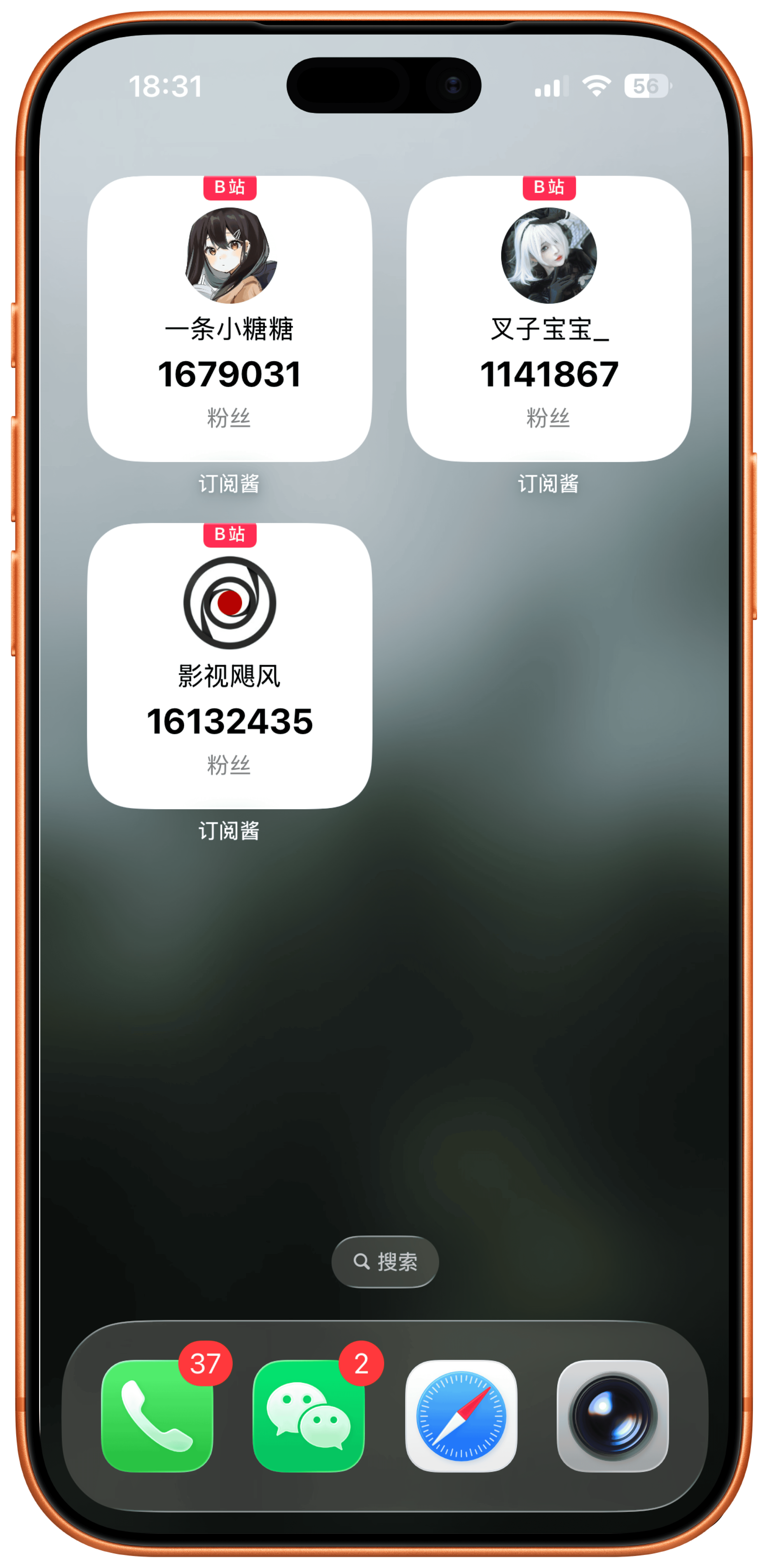
把 B站 UP 主或 YouTube 博主放到桌面和锁屏,粉丝数精确到个位数。Place Bilibili or YouTube creators on your home and lock screens, with follower counts down to the single digit.
关注多个创作者Track multiple creators
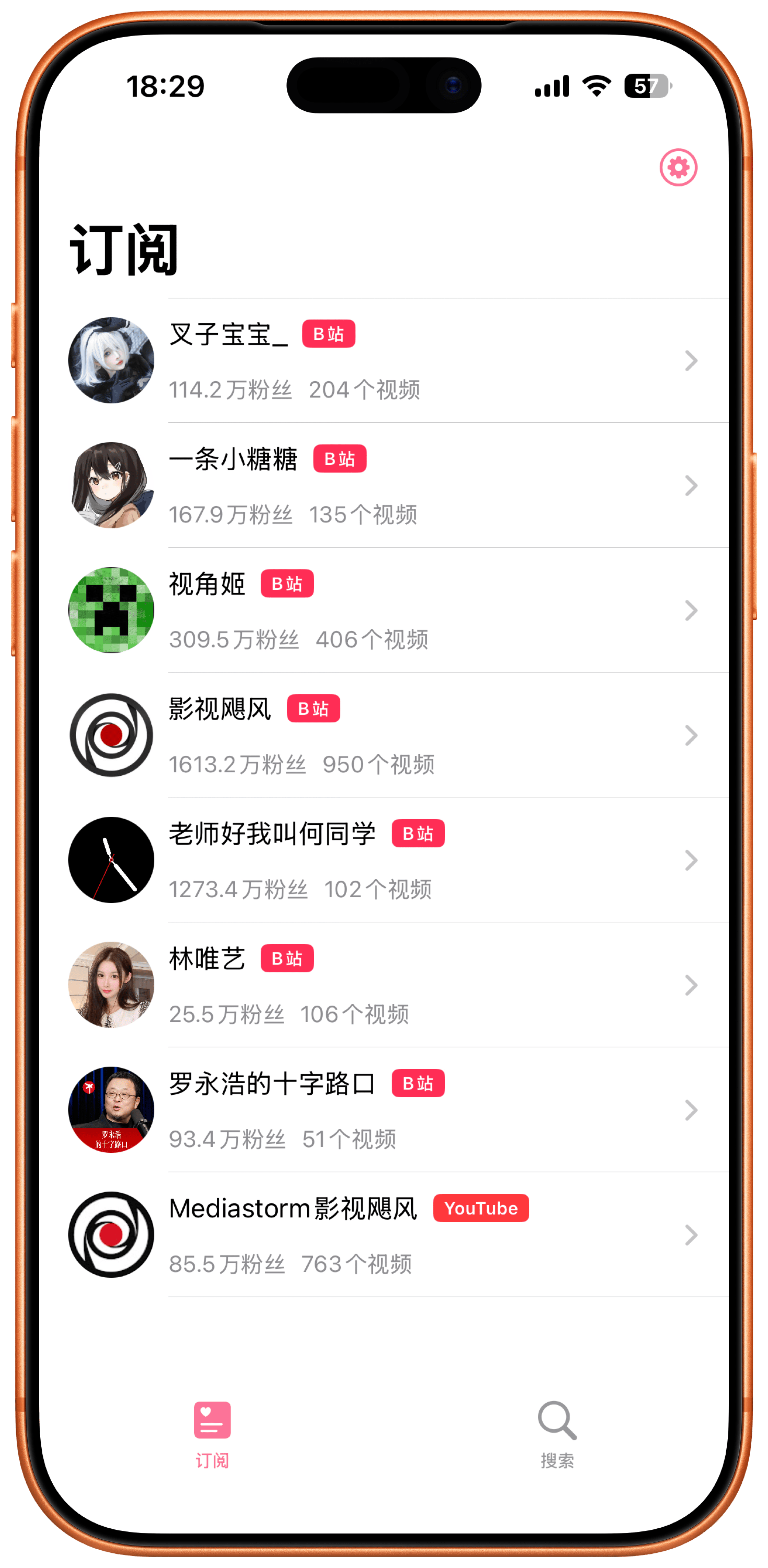
会员可订阅多个 UP 主,适合同时关注自己的账号、品牌号和常看的创作者。Premium unlocks tracking multiple creators, useful for your own accounts, brand accounts, and favorite channels.
HarmonyOS 桌面查看HarmonyOS home screen view
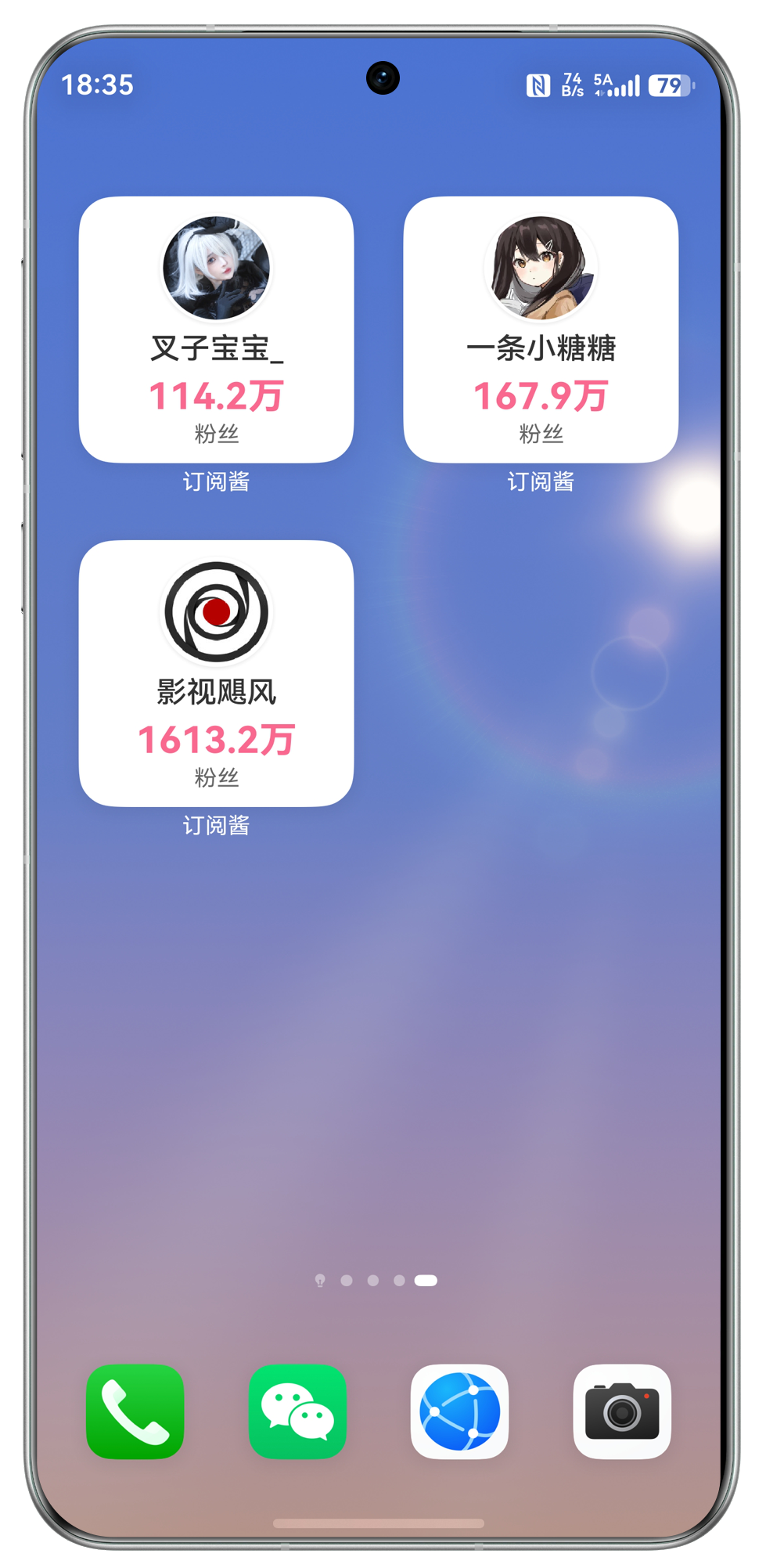
HarmonyOS 版本聚焦桌面小组件,打开手机就能看见最新粉丝变化。The HarmonyOS version focuses on home screen widgets so the latest follower count is visible at a glance.
围绕创作者粉丝数查看的轻量工具箱。A focused toolkit for creator follower tracking.
从桌面小组件、锁屏小组件到多 UP 主订阅,订阅酱让粉丝数变化不用反复打开平台查看。From home widgets and lock screen widgets to multiple creator subscriptions, Subscribe Jam keeps growth signals close at hand.
B站粉丝数Bilibili followers
添加关注的 UP 主,桌面小组件即可显示最新粉丝数量。Add the creators you follow and show their latest follower counts in a widget.
YouTube 博主YouTube creators
iOS 版本支持 B站 / YouTube 创作者,跨平台关注增长变化。The iOS version supports Bilibili and YouTube creators for broader follower tracking.
锁屏小组件Lock screen widgets
iOS 新增锁屏小组件,不解锁也能快速查看粉丝数。iOS lock screen widgets make follower counts visible without opening the app.
多个 UP 主Multiple creators
会员可订阅多个 UP 主,适合内容团队和多账号运营。Premium supports multiple creators, useful for teams and multi-account workflows.
会员无广告Ad-free premium
会员解锁所有付费功能,享受后续免费更新,并承诺没有广告。Premium unlocks paid features, future updates, and an ad-free experience.
双平台下载Two platform downloads
iOS 前往 App Store,HarmonyOS 前往 AppGallery,入口清晰分开。iOS users go to the App Store, while HarmonyOS users download from AppGallery.
打开订阅酱,把粉丝数放到桌面。Open Subscribe Jam and put follower counts on your screen.
iOS 前往 App Store,HarmonyOS 前往 AppGallery,选择你的平台下载。Download from the App Store on iOS or AppGallery on HarmonyOS.

用户反馈集中在小组件和手动添加体验。Users focus on widgets and creator setup.
来自评论截图的真实反馈,既保留好评,也展示用户希望改进的地方。Real feedback from review screenshots, including praise and requested improvements.
从一个 UP 主到多个 UP 主。From a free start to lifetime access.
免费用户只能订阅一个 UP 主,升级后可订阅多个 UP 主并解锁全部付费功能。Free users can track one creator; premium unlocks multiple creators and all paid features.
免费用户Free
¥0
适合先体验订阅酱,只能订阅一个 UP 主。Start with Subscribe Jam and track one creator.
- 只能订阅一个 UP 主One creator only
- 桌面小组件Home widgets
- 基础粉丝数查看Basic follower counts
月付Monthly
¥3
短期解锁会员能力,可订阅多个 UP 主。Unlock premium for a month and track multiple creators.
- 订阅多个 UP 主Multiple creators
- 解锁付费功能Paid features
- 承诺无广告Ad-free promise
年付Annual
¥12
适合持续关注多个账号,价格更轻。Best value for ongoing multi-creator tracking.
- 订阅多个 UP 主Multiple creators
- 未来免费更新Future updates
- 更高性价比Better value
永久Lifetime
¥18
一次购买,长期订阅多个 UP 主。One purchase for long-term multi-creator tracking.
- 订阅多个 UP 主Multiple creators
- 永久解锁Lifetime unlock
- 长期使用Long-term use
常见问题Frequently asked questions
这里整理了小组件、会员订阅和双平台下载时最常见的问题。Answers about widgets, membership, and two-platform downloads.
无法看到 UP 主视频?Why can I not watch creator videos?
目前无法在第三方应用中观看 B站 视频。订阅酱聚焦粉丝数量小组件和关注对象管理。Bilibili videos cannot currently be watched inside third-party apps. Subscribe Jam focuses on follower count widgets and creator tracking.
免费用户可以订阅几个 UP 主?How many creators can free users track?
免费用户只能订阅一个 UP 主。月付、年付和永久会员都可以订阅多个 UP 主。Free users can track one creator. Monthly, annual, and lifetime premium users can track multiple creators.
iOS 和 HarmonyOS 功能一样吗?Are iOS and HarmonyOS features identical?
两端都支持粉丝数量小组件。iOS 版本包含 B站 / YouTube 支持和锁屏小组件;HarmonyOS 版本聚焦 B站 粉丝数桌面小组件。Both platforms support follower count widgets. iOS includes Bilibili / YouTube support and lock screen widgets; HarmonyOS focuses on Bilibili home screen widgets.
会员会自动续订吗?Does the membership renew automatically?
iOS 会员确认购买后会通过 iTunes 账号自动续订。需要取消时,请在当前订阅周期到期前 24 小时以前到 Apple ID 设置中关闭自动续费。On iOS, membership renews through the iTunes account after purchase. To cancel, turn off auto-renewal in Apple ID settings at least 24 hours before the current period ends.
粉丝数会精确到多少?How precise is the follower count?
iOS 描述中说明桌面和锁屏小组件的粉丝数量可精确到个位数。The iOS description states that home screen and lock screen widget follower counts can be precise to the single digit.
在哪里下载?Where can I download it?
iOS 用户前往 App Store,HarmonyOS 用户前往华为 AppGallery。页面下载区也提供两个平台的二维码。iOS users can use the App Store, and HarmonyOS users can use Huawei AppGallery. The download section also provides QR codes for both platforms.